Written by Explore Digital
ADA website compliance is one of those topics that feels confusing until it becomes urgent. And for a lot of businesses, it becomes urgent fast.
Many owners don’t realize this: your website can create legal exposure even if you’ve never had a complaint. You can get a demand letter out of nowhere. It can come from anywhere, but the filings tend to cluster in a few states. New York and Florida lead, and California is consistently one of the busiest states too.
In this post, we’ll keep it simple. We’re explaining ADA website compliance only. This is about your website and online forms, not your physical building or in-person operations. We’ll cover what matters, what to do next, and a short checklist you can use today. If the checklist raises a lot of red flags, that’s when it’s worth getting help.
What Is ADA Website Compliance?
The Americans with Disabilities Act (ADA) is a federal civil rights law. It was created to help ensure equal access for people with disabilities.
Over time, courts have increasingly applied that idea to websites as well. The logic is simple. If your website is part of how customers learn about you, contact you, book you, or buy from you, then it needs to be usable for people with disabilities.
When we say ADA website compliance, we’re talking about making sure your website is usable for people with disabilities. That includes people using screen readers, keyboard navigation, and other assistive tech.
This is not a niche issue. The CDC estimates that 28.7% of U.S. adults have a disability. That’s more than 1 in 4 people.
It’s also not rare for websites to have problems. WebAIM’s 2025 “Million” report found that low-contrast text showed up on about 79% of home pages, and missing alt text is still common.
This matters for legal risk, but it also matters for business performance, as illustrated in this Boston 25 investigation of small businesses caught by the 2025 surge of ADA website lawsuits.
- Some estimates suggest 73% of customers with disabilities run into difficulty on more than a quarter of the websites they visit, and that businesses lose serious revenue when people can’t use their sites.
- One large accessibility study found that sites with stronger accessibility scores are associated with higher revenue levels.
That’s what ADA website compliance is really about. Usability. Access. Removing barriers.
It’s not about making your site ugly. It’s not about watering down your brand. Accessible web design and good design can absolutely work together.
If you’re already thinking about a redesign, it’s usually cheaper and cleaner to bake accessibility into the build instead of patching it later. That’s how we approach our website services: including it from the start.
Is ADA Compliance Legally Required for Websites?

Yes, but there isn’t one single federal checklist you can follow and call it done. That’s part of why this topic feels messy.
But here’s the part that matters for business owners. Enforcement is real, and the volume is not slowing down.
A 2025 mid-year report found 2,014 ADA website accessibility lawsuits were filed from January to June 2025, a 37% year-over-year jump compared to the first half of 2024.
And no, this is not just big brands.
UsableNet’s reporting has noted that most digital accessibility lawsuits hit businesses below the “big enterprise” tier, and that plaintiffs often turn toward smaller businesses. The Wall Street Journal has also reported that small businesses are disproportionately targeted in many of these website accessibility suits.
Certain categories see more heat because the website is core to how customers buy, book, or order. E-commerce and food service are consistently at the top of the list in lawsuit reporting.
One more state note, since business owners ask this a lot. California is a major hotspot, in part because state law can add damages on top of the federal ADA. That can raise the financial pressure fast.
We’re not a law firm, and this isn’t legal advice. But from a practical business standpoint, ignoring website accessibility requirements is a “hope nothing happens” strategy. That’s not a great plan.
If you’re in one of the higher-risk categories, or your website is a big part of how you get leads, don’t guess. Run the checklist below. If you want the official baseline, start with the government’s guidance at ADA.gov. And if you want a clear answer on where you stand and what matters most, book a strategy call with us.
Why ADA Lawsuits Are Rising for Businesses
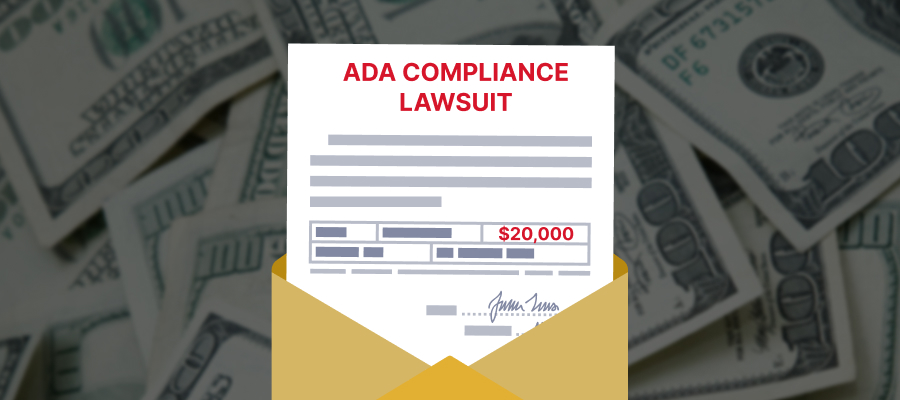
A lot of ADA website lawsuits follow the same pattern.
People use automated scanning tools to find common accessibility problems. Those tools can flag issues across thousands of sites quickly. Then businesses get demand letters or lawsuits based on what was found.
It’s also why this can feel unfair. You might not even know something is broken for a user with a screen reader or keyboard navigation. But you can still get hit with legal pressure.
And once you’re reacting, everything costs more. You’re paying for fixes under time stress. You’re paying for legal support. You’re dealing with reputation risk and internal fire drills.
Prevention costs less than cleanup.
If you want to spot obvious issues on your own site, here are a few tools you can run for free. They won’t replace a real audit, but they will show you where you have easy fixes.
- WAVE by WebAIM. It highlights issues right on the page, which makes it easier to understand what’s wrong.
- Lighthouse in Chrome DevTools. It gives you an accessibility score and points out common problems.
- axe DevTools browser extension. It runs a scan and flags common WCAG issues.
- Accessibility Insights for Web by Microsoft. It helps you find issues and includes guided checks.
- Silktide accessibility checker extension. It runs lots of checks and includes simple explanations.
These tools won’t replace a real audit, but they will quickly show you if you have obvious problems like low contrast, missing labels, or broken headings.
And once you’re reacting, everything costs more. You’re paying for fixes under time stress. You’re paying for legal support. You’re dealing with internal fire drills.
Even settlement numbers can add up quickly. Many summaries put common ADA website settlement ranges in the thousands to tens of thousands, and it varies based on the situation.
If you run the tools above and the results look ugly, don’t panic. Start with the highest-traffic pages and the pages that drive leads.
What Actually Matters for ADA Website Compliance
When most people talk about ADA website compliance, they’re usually talking about WCAG compliance.
WCAG is the Web Content Accessibility Guidelines, published by the W3C. These guidelines are the most common standard used to judge whether a site is accessible. Most businesses aim for WCAG Level AA.
Here’s the plain-English version of what matters most.
1) Keyboard navigation
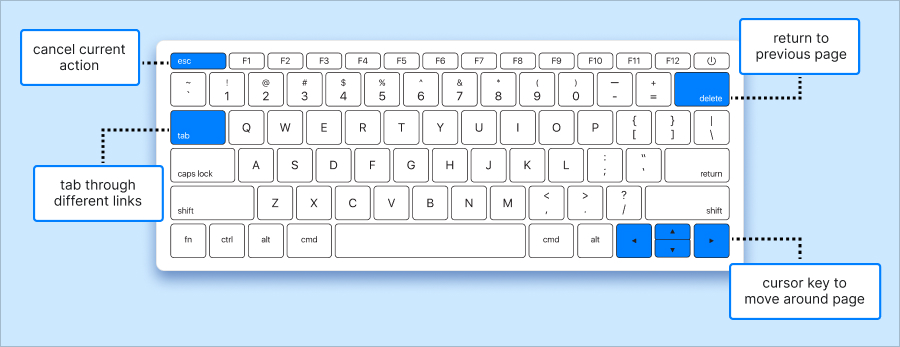
A user should be able to use your site without a mouse. That includes menus, buttons, forms, and popups.
2) Contrast and readable text
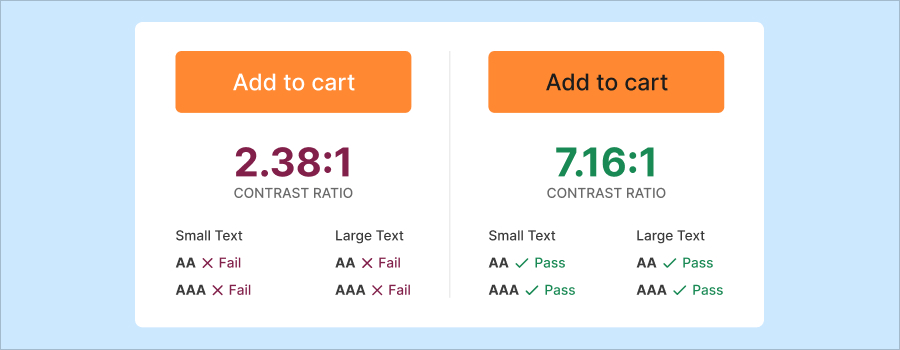
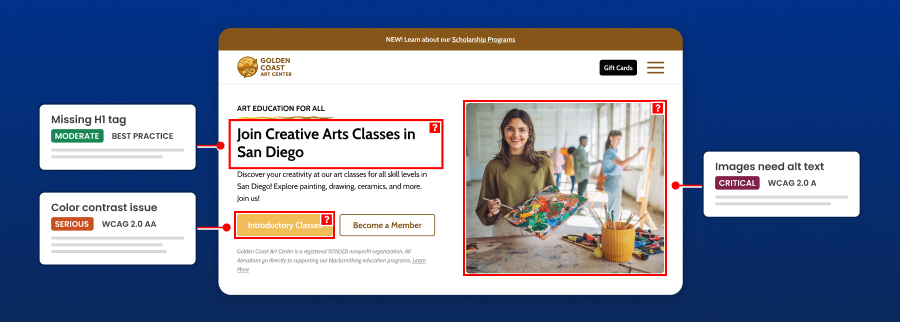
Text needs enough contrast against the background. This comes up a lot with button colors, light text, and brand palettes.
3) Alt text for images

If an image contains important info, a screen reader needs a text version of that info. Decorative images can be handled differently. But key images need attention.
4) Clear headings and structure
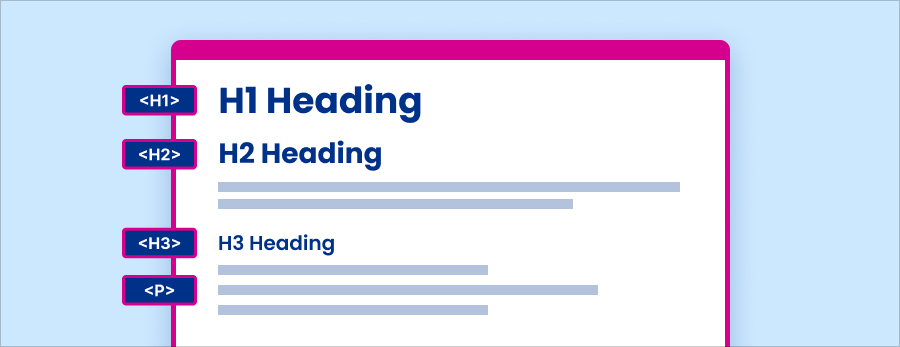
Your page should be organized in a logical way. Headings should follow a real hierarchy. This helps screen readers and also helps everyone skim.
5) Accessible forms
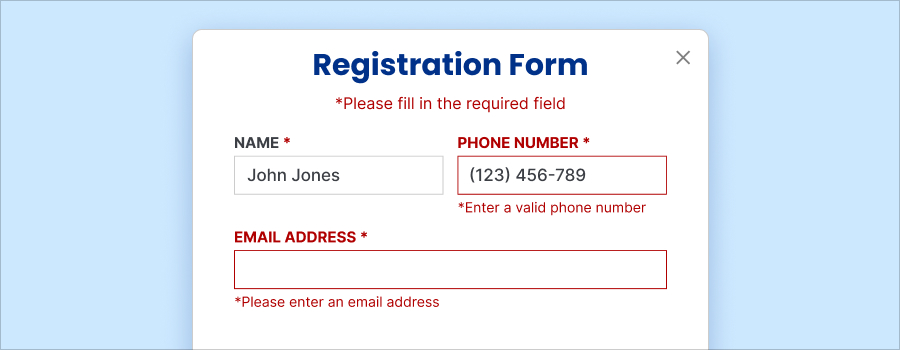
Form fields need clear labels. Error messages need to be understandable. The user should know what went wrong and how to fix it.
6) Links that make sense
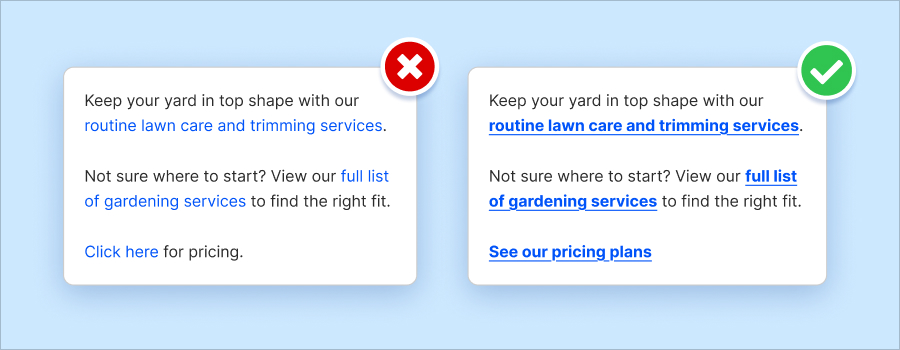
Links should set expectations for its destination and should stand out as links (bolding, underlining, etc.).
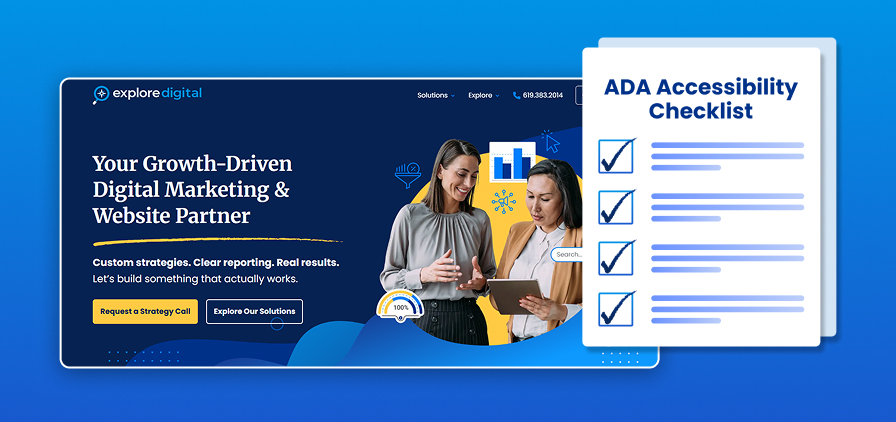
A quick checklist you can use today
- Can you navigate your site using arrow keys, space bar, return, etc.?
- Do your buttons and forms have clear labels?
- Do your key pages have real headings, not just styled text?
- Do all of your images have alt text?
- Is your website responsive on mobile?
That checklist won’t replace an audit. But it will quickly tell you if you’re in the danger zone.
ADA Compliance and SEO, CRO, and Performance
A common fear is that accessibility fixes will “mess up” a site. Or slow it down. Or hurt conversions.
In reality, ADA compliance benefits you because accessible web design often improves the things you already care about.
An ADA-compliant website usually has cleaner structure, clearer headings, and better readability. That makes it easier for AI & search engines to understand your pages. It also makes it easier for real people to use them. WebAIM’s data shows how common issues like contrast and missing alt text are across the web, which is exactly why fixing them tends to improve the experience.
Accessibility also overlaps with conversion rate optimization (CRO). When pages are easier to read, navigate, and complete, more people take action. That is true for users with disabilities and for everyone else.
If you’re trying to improve leads or sales, accessibility and conversion rate optimization should work together, not fight each other. That’s how we approach it in our conversion rate optimization work.
Can Existing Websites Be Made ADA Compliant?
In many cases, yes.
Most sites can be improved without a full website redesign and rebuild. The key is doing it the right way.
It starts with an audit. A real one. Not just a quick automated scan. Automated tools help, but they don’t catch everything. And they can’t tell you what matters most for your specific site.
From there, you prioritize fixes based on risk and impact. High-traffic pages first. High-intent pages first. Forms, navigation, and core templates first.
One more important note. Accessibility overlays alone aren’t enough.
An accessibility overlay is a little widget that sits on your site and adds a menu for things like larger text, different contrast, or a screen reader mode.
It sounds like a quick fix, but can create a false sense of safety. It doesn’t repair the underlying site code. If your forms, navigation, headings, or labels are broken, an overlay usually can’t truly fix that.
You still need actual updates to the site itself. Real compliance requires real development work.
How We Help Businesses Become More Accessible and Reduce Risk
We treat ADA compliance for businesses as part of the build, not an add-on at the end.
That usually means:
- Accessibility audits and clear, prioritized remediation plans
- Fixes that protect your brand and keep the site clean and modern
- Accessible design choices baked into new builds
- Ongoing support as your site evolves
When we build websites, we pay attention to usability, speed, SEO, and conversions while we make accessibility improvements. The goal is simple. Reduce risk and build a better experience.
Ready to make your site safer and easier to use?
ADA website compliance isn’t about fear. It’s about protecting your business and making your website usable for more people.
Start with the checklist in this post and see where you land. If you spot a lot of concerns, or you’re not sure what’s real risk vs noise, book a strategy call with us. We’ll help you get clear on what to fix first.
Frequently Asked Questions
1) What is ADA website compliance?
ADA website compliance means your website is accessible to people with disabilities. That includes users who rely on screen readers, keyboard navigation, or other assistive technology. The goal is simple: people can read, navigate, and take action on your site.
2) Can my business really get sued over a website?
Yes. ADA lawsuits for websites that are not compliant are common, and many businesses get demand letters without warning. To give you a sense of scale, EcomBack tracked 3,862 ADA website lawsuits in 2023, 3,188 in 2024, and 2,014 more in the first half of 2025. That’s 9,000+ filed cases in about 2.5 years, and it doesn’t even include demand letters, which are widely reported as increasing.
3) Does ADA apply to small businesses?
Yes. A lot of ADA website lawsuits target small and mid-sized businesses because they’re easier to pressure into quick settlements. If your website supports your business, you should take accessibility seriously.
4) Is there an official ADA checklist for websites?
There’s no single official checklist from the federal government. But WCAG guidelines are widely used as the standard. Most businesses aim for WCAG Level AA compliance.
5) Are accessibility overlays enough?
No. Overlays alone do not meet compliance standards. They can help with small usability issues, but they don’t fix underlying code, structure, or form problems.
6) Does ADA compliance hurt design?
No, with the right mindset. An ADA-compliant website can still look modern and on-brand. Accessibility is about usable design choices, not boring design.
7) Does ADA compliance help SEO?
Yes. Accessible sites tend to have cleaner structure, clearer headings, and better readability. Those are also strong SEO fundamentals.
8) How much does ADA compliance cost?
It depends on your site size, platform, and how many templates you’re using. But prevention is almost always cheaper than dealing with legal pressure and rushed fixes.
9) Can you fix an existing website?
Yes. We audit the site, prioritize the highest-risk issues, and implement fixes in a sensible order. In many cases, you don’t need a full rebuild.
10) When should businesses address ADA compliance?
Before there’s a problem. The best time is during a redesign, a platform change, or any major content update. The second-best time is now.