Written by Explore Digital
If your website uses Google Analytics, Google Ads, Meta Pixel, chat, heatmaps, session recording, or other tracking tools, there’s an important question you may not have asked:
What is your website sending third parties before a visitor gives consent?
That question is getting more attention because of a growing number of claims under the California Invasion of Privacy Act (CIPA). Plaintiffs are arguing that certain website technologies can intercept or transmit information about a visitor’s interaction with a website before that visitor affirmatively consents.
That does not mean your website is violating CIPA. The legal theories are still developing, and whether a particular website practice creates liability depends on the facts.
But it does mean your website’s tracking setup is worth understanding.
The short version 🚀
A cookie banner doesn't necessarily mean your website is blocking tracking.
Your website may display a consent banner while analytics, advertising, session-recording, or other scripts are already running in the background.
If you're not sure what happens before a visitor clicks Accept or Reject, it's worth finding out. Need help checking? We can take a look.
Could CIPA Affect My Business?
Potentially.
You don’t necessarily have to be headquartered in California for CIPA-related website concerns to matter. If people in California can visit and interact with your website, your tracking setup may be worth reviewing.
For businesses that serve customers nationally, the more useful question is:
What happens when someone visits my website?
If your website collects information through analytics, advertising pixels, session recording, chat, forms, CRM tools, or other third-party services, information may be sent to outside platforms as soon as a page loads.
What Is CIPA and Why Should a Business Owner Care?
The California Invasion of Privacy Act (CIPA) is a California law enacted in 1967 to address unauthorized wiretapping, eavesdropping, and recording.
The law predates the internet, but plaintiffs are increasingly arguing that certain modern website technologies—such as tracking pixels, session-replay tools, chat software, and analytics technologies—can intercept or transmit information about a visitor's interaction with a website.
CIPA can also create meaningful civil exposure. California Penal Code Section 637.2 allows an injured person to seek the greater of $5,000 per violation or three times actual damages in qualifying cases. Whether a particular website practice creates a qualifying violation depends on the facts and the court's interpretation.
The important point for your business isn't that every tracking tool is illegal. It's that you should know what your website is collecting, when collection begins, and where that information goes.
CIPA vs. CCPA: They're Not the Same Thing
CIPA is not the same as the California Consumer Privacy Act (CCPA).
CIPA focuses on certain forms of unauthorized interception, monitoring, or recording of communications. The CCPA gives California consumers broader rights involving personal information, including rights to know, delete, correct, limit, and opt out of certain selling or sharing.
Your business may need to consider both laws, but meeting one set of obligations does not automatically satisfy the other.
What Is Your Website Doing Before a Visitor Clicks “Accept”?
Modern websites can connect to many outside platforms almost immediately after a page loads.
Depending on your setup, analytics, advertising pixels, embedded video, chat, heatmaps, session recording, call tracking, forms, CRM tools, and other scripts may send information such as:
- Page views and URLs
- IP addresses
- Device and browser information
- Clicks and navigation
- Search terms
- Advertising events
- Form interactions
- Chat activity
- Scrolling and session behavior
The concern behind many recent CIPA claims is when that information is collected and where it goes.
The Cookie Banner Isn't the Whole Story
Think about your website as having two separate pieces:
What the visitor sees:
A cookie or consent banner.

What the website actually does:
The scripts, cookies, pixels, network requests, and third-party services that may begin operating when the page loads.
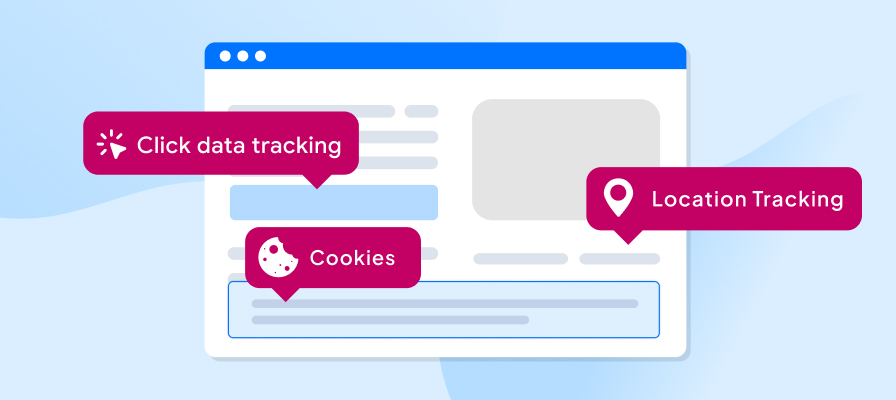
Those two things need to match.
KEY TAKEAWAY: A cookie banner is not proof that tracking is blocked. The website's scripts need to behave according to the visitor's consent choice.
That's why a useful website privacy review should test the website itself—not just look at the settings inside a cookie-management platform.
Why Are CIPA Claims Increasing Now?
The recent increase in claims is a litigation and enforcement shift, not a rewrite of the law itself.
Plaintiffs are applying older wiretapping rules to pixels, analytics platforms, session-recording tools, and other website technologies.
Courts haven't treated every tool or allegation the same way. Website cases can turn on questions such as:
- What information was collected?
- Was it communication content?
- Did collection happen while the information was in transit?
- Did the visitor provide consent?
- Was a third party involved?
- How was the technology configured?
Because the legal questions are still developing, businesses may feel pressure to address a demand rather than incur the cost of defending a lawsuit.
CIPA isn’t the only older law creating new digital compliance concerns. We’ve seen a similar pattern with ADA website compliance, where automated scanning makes potential issues easier to identify and pursue at scale. As AI-assisted crawling gets faster and cheaper, website compliance issues may become even easier to find, even when the underlying legal theory is disputed.
The practical response isn't to panic. It's to understand what your website is doing and fix the gaps you can control.
Which Website Tools May Cause Concern?
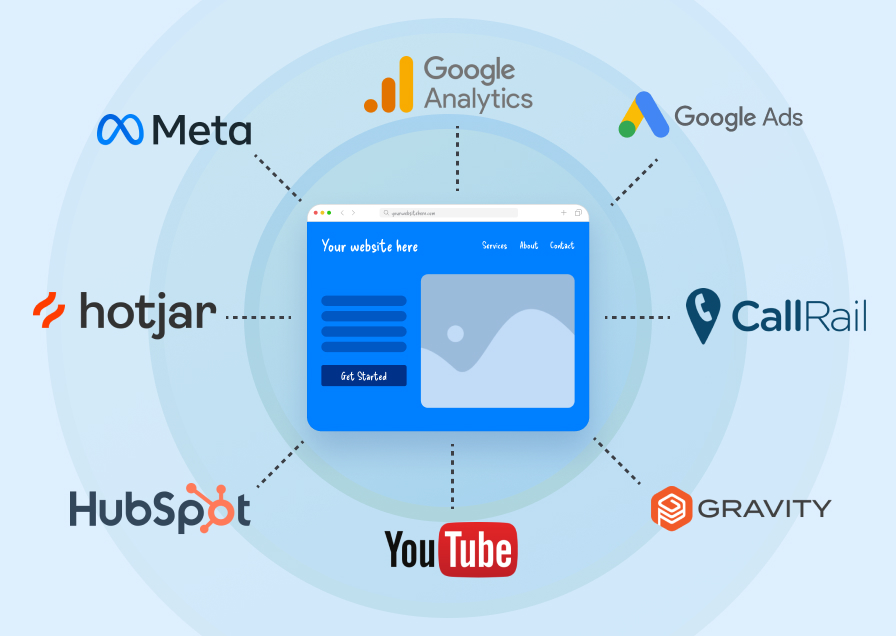
The technologies below aren't automatically unlawful. The concern depends on how they're configured, what information they receive, when they activate, how consent is handled, and where the information goes.
| Website technology | What it may collect | What to review |
|---|---|---|
| Google Analytics | Page views, events, device and referral data | Whether it loads before consent and how data-sharing settings are configured |
| Meta Pixel | Page visits, purchases, form actions and advertising events | Whether the pixel activates before marketing consent |
| Google Ads tags | Conversions, page activity and remarketing audiences | Consent Mode, tag categories and activation timing |
| Session replay | Clicks, scrolling, navigation, keystrokes and form interaction | Sensitive-field masking, activation timing and third-party transmission |
| Heatmaps and A/B tests | Click, scroll, navigation and experiment data | Whether user behavior is recorded before consent |
| Chat widgets | Messages, contact details and interaction history | Whether conversations are recorded or shared |
| Contact forms | Names, emails, phone numbers and message content | Whether another script captures field activity before submission |
| Call tracking | Phone numbers, call details and recordings | Disclosure, recording consent and data sharing |
| Embedded video | Viewing activity, cookies and device information | Whether third-party requests or cookies load automatically |
| CRM and lead tools | Form activity, lead details and customer history | What information flows between your website and outside platforms |
| Keystroke or form analytics | Information entered before submission | Whether typed information is transmitted in real time |
Which Businesses Should Pay Particular Attention?
A closer review makes sense if your website:
- Uses Google Analytics, Google Ads, or Meta advertising
- Uses Google Tag Manager
- Has session recording or heatmaps
- Uses chat or call-tracking tools
- Collects leads through online forms
- Connects your website to a CRM
- Uses lots of third-party plugins or embedded services
- Collects sensitive information
- Runs ecommerce or account-based functionality
- Uses advertising or conversion tracking
- Has a cookie banner but you're not sure whether it actually blocks scripts
If you're unsure what's running on your site, that's a good reason to investigate.
How Concerned Should You Be?
There isn't a simple checklist that determines whether a website violates CIPA. The legal analysis depends on the specific facts and continues to develop.
But you can use your website's setup to determine how urgently you may want to investigate it.
| Your website... | Practical priority |
| Uses primarily essential website functionality | Lower priority |
| Uses analytics or several third-party tools | Worth reviewing |
| Uses advertising pixels or extensive tracking | Higher priority |
| Uses session recording, heatmaps, or keystroke tracking | High-priority review |
| Collects sensitive information while using tracking | High-priority review |
| You don't know what's installed or what fires before consent | Find out first |
This isn't a legal risk assessment. It's simply a practical way to decide whether your website deserves a closer technical review.
Is a Cookie Banner or Privacy Policy Enough?
Not necessarily.
Your website privacy policy explains your business's data practices. A consent-management platform controls what different categories of technology are allowed to do.
You need to look at both.
Recent demands have focused not only on what a website says about tracking, but on what the website actually does before and after a visitor makes a choice.
For example, if analytics, advertising, session-recording, or other nonessential technologies have already started running, a banner that simply says continued browsing means acceptance may not address the underlying concern.
An opt-in setup can keep those scripts from firing until a visitor affirmatively accepts the relevant category.
At a Minimum, Check These Seven Things
A closer review makes sense if your website:
1. Clear choices
Visitors can accept or reject nonessential tracking without confusing language.
2. Category controls
Analytics, marketing, preferences, and essential tools are classified appropriately.
3. Pre-consent blocking
Nonessential scripts stay inactive until the visitor affirmatively accepts the relevant category.
4. Preference changes
Visitors can reopen the controls and change their decision.
5. Applicable opt-out signals
The site handles legally required signals and provides usable opt-out preferences.
6. Accurate records
Your cookie inventory and disclosures are updated when website tools change.
7. Matched disclosures
Your cookie notice, privacy policy, terms, and other applicable legal pages accurately describe the consent controls and technologies in use.
Even with all of these measures in place, no single banner configuration guarantees CIPA compliance for every business.
The right approach depends on your website, the data it collects, your visitors, other applicable laws, and legal guidance specific to your organization.
How Can You Check Your Website?
You don't have to guess.
A technical website review can show you what happens when a visitor arrives before accepting or rejecting anything.
You can use browser developer tools, tag scanners, cookie scanners, and tag-manager preview modes to investigate the website's behavior.
If you want to do an initial review yourself, use this four-step process:
1. Find What's There
- Inventory your tracking technologies: Identify cookies, tags, pixels, plugins, embeds, chat tools, CRM connections, and scripts loaded through Google Tag Manager.
- Identify what each tool collects: Document what information each technology receives, why it is being collected, and whether any page contains sensitive information.
- Map where the data goes: Identify every third party receiving information from the website and understand why that information is being sent.
2. Test What Happens
- Test before accepting the banner: Open a fresh private browser session and inspect which cookies and network requests appear immediately after the page loads.
- Test rejection and category choices: Reject nonessential tracking and confirm that the appropriate tools remain inactive. Then test whether they activate only after the matching category is allowed.
- Review forms, chats, and logins: Check whether scripts can observe typed information before submission and whether sensitive fields are properly masked from recordings.
3. Fix What You Don't Need
- Remove unnecessary trackers: Old pixels, duplicate tags, unused plugins, and abandoned tests can create unnecessary exposure without providing useful business data.
- Make the banner, policy, and scripts agree: The choices visitors see should match what the website actually does.
4. Keep It Under Control
- Document the configuration: Keep a record of your tools, categories, settings, tests, decisions, and changes.
- Repeat the review after website changes: New advertising tools, plugins, forms, embeds, and campaign technologies can change your site's data flow—even when your privacy policy hasn't changed.
Not sure where to start?
If you answer “yes” to several of these questions, or simply don't know the answer to the last one, your website is worth reviewing:
-
- Do you use Google Analytics?
- Do you advertise through Google or Meta?
- Do you use chat, heatmaps, or session recording?
- Does your website collect leads or sensitive information?
- Are you certain nonessential tracking stays off when someone clicks “Reject”?
Don't Want to Audit All of This Yourself?

That's understandable.
For many small and mid-sized businesses, the challenge isn't knowing that privacy matters. It's figuring out:
- What's installed?
- What's firing?
- Where is the information going?
- What actually needs to change?
That's where a technical website review can help.
How Explore Digital Can Help
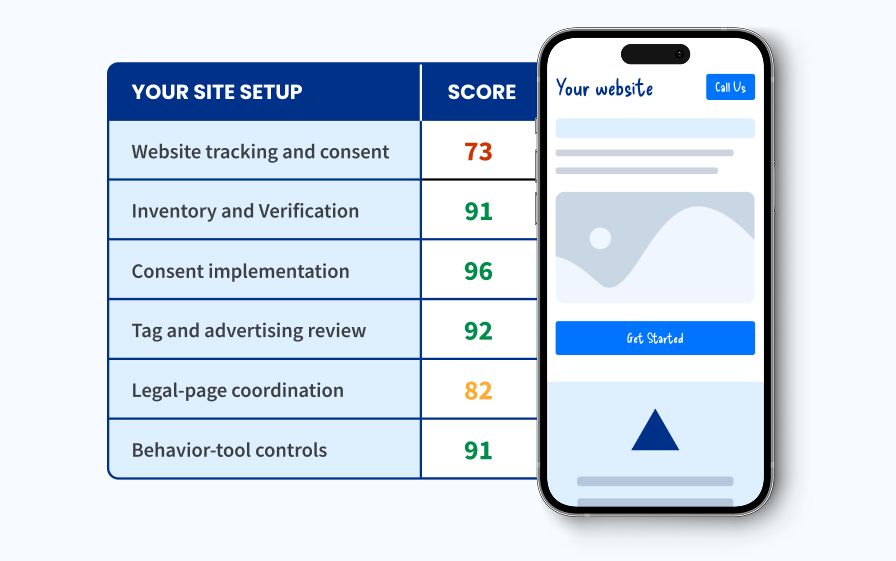
Explore Digital can grade your website's current tracking and consent setup, identify potential gaps, and provide a report explaining what we found and what may need attention.
We can help you see what's happening ✅
We can identify:
- Cookies and tracking technologies
- Advertising pixels
- Analytics tags
- Session-recording and heatmap tools
- Forms and chat technologies
- Third-party scripts
- Technologies that activate before consent
- Potential areas for improvement
We can help you fix the technical issues ✅
Our team can help with:
- Pre-consent blocking
- Consent-management configuration
- Google Tag Manager and Google Consent Mode settings
- Meta Pixel and Google Ads tag configuration
- Session-replay and heatmap controls
- Sensitive-field masking
- Tracker cleanup
- Approved website and legal-page updates
We can help you keep it working ✅
We can test the completed setup, document changes, and recheck the site after website, plugin, analytics, advertising, or campaign changes that could introduce new tracking technologies.
Our goal isn't to tell you to turn off every tool that helps your business.
It's to help you keep the tracking and conversion tools you actually need while reducing unnecessary collection and risk.
Because Explore Digital brings website design and development, analytics, advertising, conversion rate optimization (CRO), hosting, and maintenance together, we can evaluate privacy changes in the context of the tools your business actually relies on.
We handle the technical review, implementation, and testing. Your business and legal counsel remain responsible for determining which laws, notices, consent standards, contracts, and legal positions apply to your organization. We can coordinate technical and legal-page changes using language or guidance supplied or approved by your counsel.
Want to Know What Your Website Collects Before Consent?
You don't have to guess.
A Website Tracking & Consent Grade can give you a clearer picture of:
- What tracking technologies are installed
- What loads before consent
- Which third parties receive information
- Whether nonessential tracking is blocked after rejection
- Which areas deserve attention
- What technical changes may be needed
Get a Clear Picture of Your Website's Tracking
Go from “I'm not sure what my website is doing” to a clear picture of what needs attention and a practical plan for addressing it.
Request a Website Tracking & Consent Grade
Frequently Asked Questions
1. What does CIPA stand for?
CIPA stands for the California Invasion of Privacy Act. It is a California law that addresses certain forms of unauthorized interception, recording, and monitoring of communications.
2. Why does CIPA apply to websites?
CIPA was passed before the internet existed, but recent claims have argued that website technologies can intercept or record communications between visitors and businesses.
Tracking pixels, chat tools, analytics platforms, and session-recording software have all been examined under these theories.
3. Does CIPA apply only to businesses located in California?
Not necessarily.
A business outside California may still face CIPA-related concerns when people in California visit and interact with its website. A company serving customers nationally should review how its website handles visitors from different states.
4. Are Google Analytics and Meta Pixel illegal under CIPA?
No.
Google Analytics, Meta Pixel, and similar tools aren't automatically illegal.
The concern depends on what they collect, when tracking begins, how information is shared, and whether meaningful consent exists.
Tags used for paid search advertising and social campaigns should follow the website's consent settings.
5. What is pre-consent tracking?
Pre-consent tracking occurs when analytics, advertising, session-recording, or other nonessential technology starts collecting or transmitting information before a visitor makes a consent choice.
This can happen within moments of a page loading, even when a consent banner is displayed.
6. Is having a cookie banner enough for CIPA compliance?
Not by itself.
A banner is only one part of the system.
You also need to consider whether nonessential tracking is actually blocked, how categories are configured, what happens when a visitor rejects tracking, and whether the website's disclosures accurately describe its behavior.
7. Can session-recording and heatmap tools create CIPA risk?
They can create concerns when they collect clicks, scrolling activity, typed information, or form interactions and send that information to another company.
The specific legal analysis depends on the technology, configuration, information collected, consent, and other facts.
8. What are the potential penalties for violating CIPA?
California Penal Code Section 637.2 allows an injured person to seek the greater of $5,000 per violation or three times actual damages in qualifying cases.
The available remedy depends on establishing a qualifying violation, and CIPA interpretations continue to develop.
9. How can I find out which trackers are installed on my website?
A technical website audit can identify cookies, pixels, scripts, plugins, embedded platforms, chat tools, analytics systems, and tags loaded through a tag manager.
A useful audit should also test which technologies run before consent and what happens after a visitor rejects tracking.
10. How can Explore Digital help with CIPA-related website privacy concerns?
Explore Digital can grade your website's tracking and consent setup and provide a report identifying installed technologies, pre-consent behavior, potential gaps, and recommended technical adjustments.
Our team can also help block nonessential tags and pixels until consent, configure consent-management tools, remove unnecessary trackers, mask sensitive fields, test the completed setup, and coordinate approved updates to relevant legal pages.
Not sure what your website is doing before a visitor clicks “Accept”? Request a Website Tracking & Consent Grade to find out