Written by Explore Digital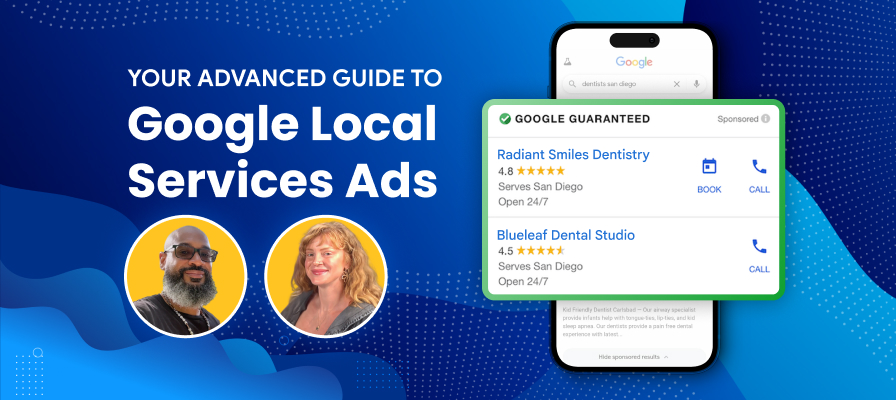
Google Local Services Ads can put your business in front of people who are ready to call, book, or request help. But turning them on isn’t the same thing as making them profitable.
Once your account is verified, the real work begins. You need to manage lead quality, bidding, service areas, job types, reviews, response time, tracking, and follow-up. That’s where most businesses either make LSAs a reliable lead channel or quietly waste budget on calls that never turn into revenue.
This local services ads guide breaks down what actually matters after setup and how to approach Google LSA optimization as part of a larger local marketing strategy.
Local Services Ads Are Not “Set It and Forget It”
A lot of businesses treat Google Local Services Ads like a lead switch.
They complete verification, set a budget, choose a few service categories, and wait for the phone to ring. That can work for a while, especially in less competitive markets. But it’s not a real strategy.
Google says Local Services Ads are ranked through an auction that considers bid and overall profile quality. It also considers factors tied to lead likelihood, including responsiveness, customer search context, service relevance, business bio, and whether customers have more ways to contact you through messages or bookings.
That means local services ads management should include regular reviews of:
- Job types
- Service areas
- Bid mode
- Budget pacing
- Review count and review quality
- Call handling
- Missed calls
- Lead recordings
- Lead feedback
- Message and booking options
- CRM follow-up
- Revenue from booked jobs
In plain English: setup gets you live. Optimization helps you make money.
That’s why LSAs should be managed like a true lead generation channel, not a standalone directory listing. Our paid search advertising work looks at the ad side, while our broader marketing services help connect the rest of the system: tracking, reporting, follow-up, and whether those leads are actually turning into revenue.
How Google Local Services Ads Really Rank
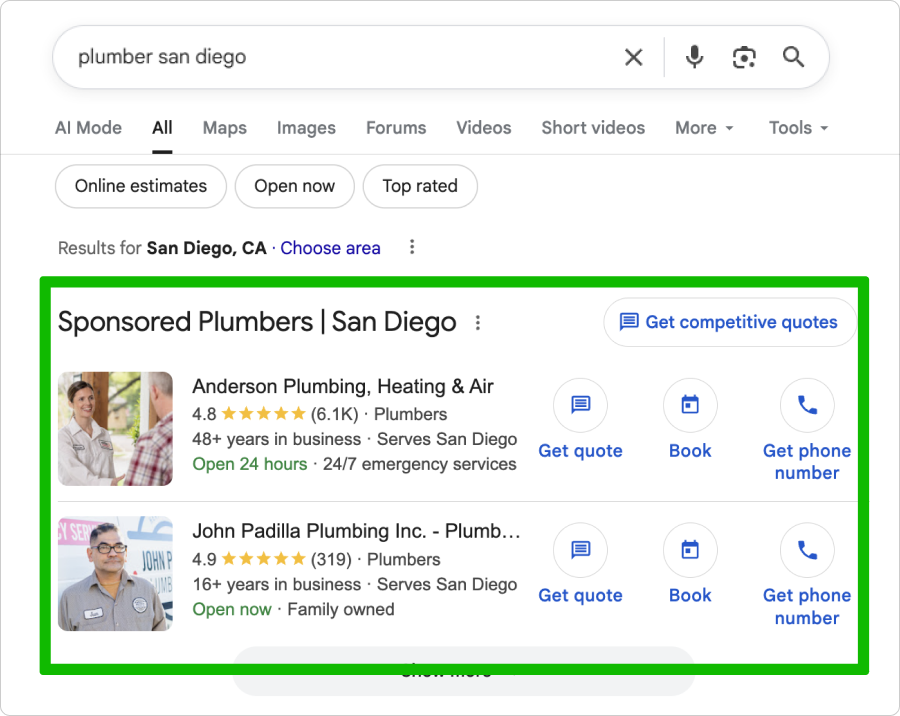
LSA ranking is not just “who pays the most.”
Bid matters. But so does profile quality. And profile quality is not one neat little metric you can see in a dashboard. It’s the sum of signals that help Google decide whether your business is a good match for the searcher and likely to receive the lead.
The main Google Local Services Ads ranking factors include your bid, your profile quality, responsiveness, relevance to the customer’s search, services offered, business bio, and available contact options. Google also recommends Maximize Leads because advertisers with similar quality and budgets often get more leads when using it.
That’s the official version. The practical version is this:
If two businesses are similar, the one with stronger reviews, faster response times, better job type coverage, cleaner service area setup, better business hours, and a more complete profile usually has the advantage.
LSA Ranking Factor Control Matrix
| Ranking Factor | Level of Control | What You Can Do |
|---|---|---|
| Bid strategy | High | Test Maximize Leads vs. Max Per Lead based on booked-job economics |
| Budget | High | Set enough budget to avoid choking lead volume too early |
| Job types | High | Select services you actually perform and remove poor-fit categories |
| Service areas | High | Balance reach with profit, travel time, and close rate |
| Business hours | High | Align ad visibility with real call-answering capacity |
| Responsiveness | High | Answer calls, respond to messages, and reduce missed leads |
| Reviews | Medium | Build a consistent review process, not one-off review asks |
| Star rating | Medium | Improve customer experience and respond professionally |
| Proximity | Low | You can’t move the searcher, but you can avoid bad-fit service areas |
| Market competition | Low | You can’t control competitors, but you can out-manage them |
The weak logic we see often is assuming LSAs are simple because the interface is simpler than traditional Google Ads. That’s backwards. LSAs hide many of the levers, which makes disciplined management more important, not less.
The LSA Lead Quality Problem
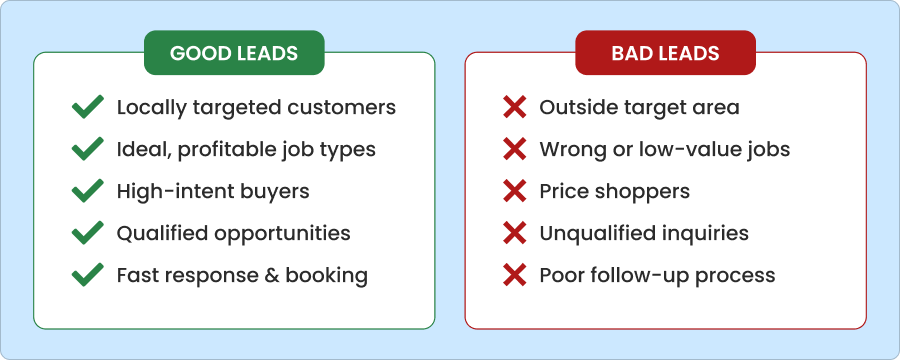
More leads do not always mean better leads.
This is where business owners get burned. Google Local Services Ads can generate a lot of calls, messages, and bookings, but not every valid lead is a good lead. A valid lead can still be too far away, too small, too price-sensitive, outside your preferred service mix, or unlikely to close.
Google says LSAs can generate calls, messages, and bookings, and once the customer reaches out, “the lead is yours to turn into a customer.” Google also notes that regularly failing to answer calls or respond to messages may affect ad ranking.
That last part matters. LSAs don’t end when the phone rings. They depend on the operational system behind the ad.
Bad LSA lead quality often comes from:
- Service areas that are too broad
- Job types that are too loose
- Weak call handling
- Missed calls
- Poor after-hours coverage
- No CRM notes
- No lead source tracking
- No review of call recordings
- No feedback loop between sales and marketing
Businesses should also rate their LSA leads consistently inside Google’s system when that option is available. Rating leads helps Google understand which inquiries turned into real opportunities and which ones were poor-fit, unqualified, or unlikely to become customers. It’s not instant magic, but it gives the account better feedback than simply accepting every lead as equal.
If you’re only looking at Google’s lead count, you’re not managing performance. You’re counting activity.
Better local service ads lead quality comes from looking at what happened after the lead came in. Did it book? Did it sell? Was it profitable? Did it match the kind of work you actually want more of?
That’s why LSA performance has to be measured past the first call. For many businesses, the person never visits the website at all. The conversion happens through call handling, booking speed, qualification, follow-up, and whether your team can turn the right searcher into a booked and profitable customer.
Service Areas and Job Types: The Overlooked LSA Lever
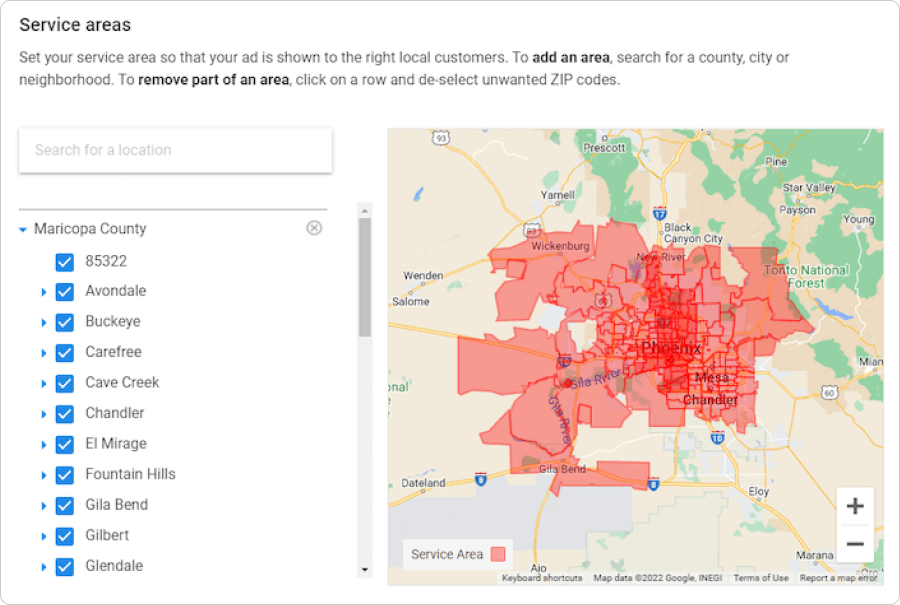
Service areas and job types are where a lot of waste hides.
Google recommends selecting all job types your business performs and setting service areas broadly, such as a full county rather than only specific postal codes. Google also recommends collecting reviews, using high-quality photos, and enabling features such as messages or bookings where relevant.
That’s good general guidance. But general guidance should not override your actual business model.
A contractor may technically serve all of San Diego County. That doesn’t mean every neighborhood produces profitable jobs. A dental or health-related local service may want appointment volume, but not from patients who are too far away to become long-term customers. A multi-location business may need different service area logic for each office, clinic, or branch.
This is the trade-off:
Broad service areas can increase volume, but they can also attract lower-fit leads. Narrow service areas can improve relevance, but they can also reduce visibility.
The same applies to job types. Selecting every possible category can increase lead opportunities, but it can also bring calls for services you don’t prioritize, don’t staff well, or don’t want to sell.
A better approach is to map job types by business value:
| Job Type Category | What It Means | LSA Action |
|---|---|---|
| Core profitable services | High-margin, high-close, operationally preferred | Prioritize and monitor closely |
| Acceptable filler services | Useful when capacity is open | Keep if lead quality holds |
| Low-margin services | Busy work that rarely leads to better jobs | Limit or remove if waste is high |
| Poor-fit services | Common source of bad calls | Remove unless there’s a strategic reason |
| Seasonal services | Strong only during specific windows | Adjust based on timing and capacity |
This is also where LSAs should connect to search engine optimization. If your organic local strategy, Google Business Profile, and LSA settings all describe your services or service areas differently, you’re making it harder for customers and Google to understand what your business actually does.
Bidding Strategy: Maximize Leads vs. Max Per Lead
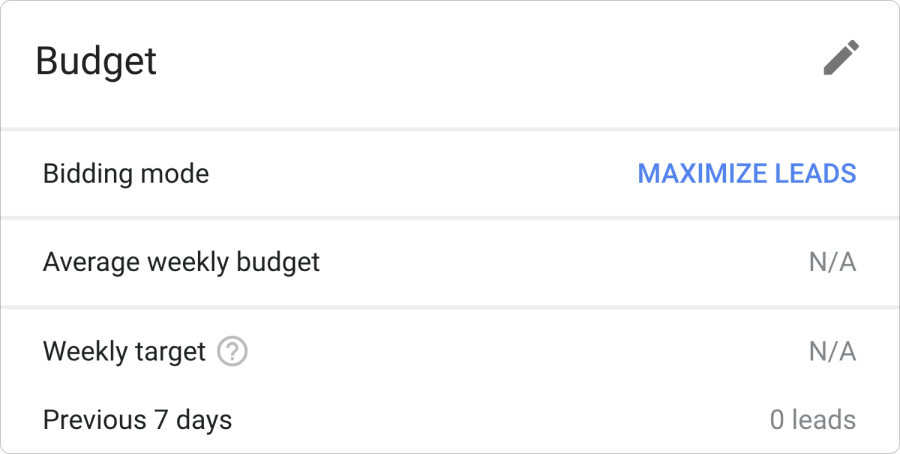
Google recommends Maximize Leads because it lets Google automatically optimize for more leads within your budget. Google’s performance guidance specifically says to select Maximize Leads instead of Max Per Lead to automatically optimize budget.
That does not mean Maximize Leads is always the right choice.
This is where you need to be practical. Google is optimizing inside Google’s system. Your business needs to optimize for booked jobs, sold revenue, margin, and capacity.
Maximize Leads usually makes sense when you have:
- Strong call answering
- Strong review count
- Enough budget to compete
- Room for more jobs
- Good CRM follow-up
- A clear understanding of close rate
- Good lead quality from existing job types and service areas
Max Per Lead may make sense when you need tighter control, have limited capacity, or are testing whether a category is worth pursuing. But if you set bids too low, you can starve the account and create the illusion that LSAs “don’t work.”
The right question is not “What’s our cost per lead?”
The better question is “What’s our cost per booked and profitable job?”
A $90 lead that turns into a $4,000 job is not expensive. A $25 lead that never books is waste. That’s the part many reports miss.
Reviews, Responsiveness, and Trust Signals
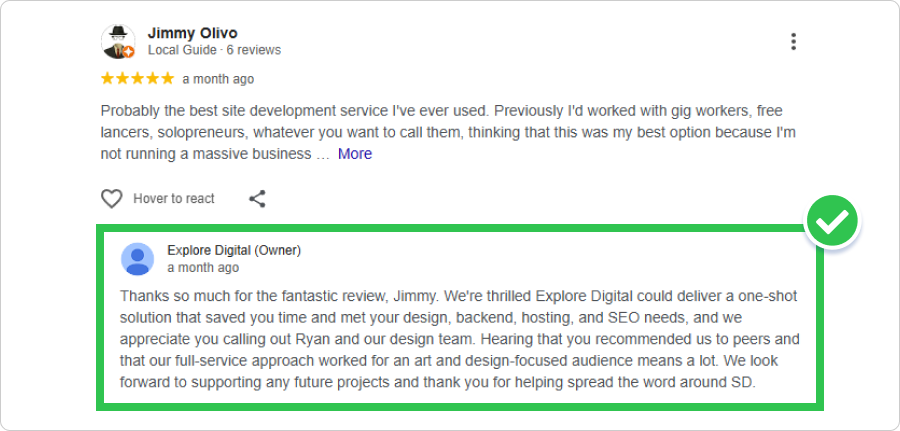
Reviews and responsiveness are two of the most practical ways to improve Local Services Ads performance.
Google recommends five or more reviews and notes that some business types may need five reviews to show. Google also recommends high-quality photos because they help customers understand who your business is, what your team does, and what to expect.
This is where “review strategy” needs to become a process.
You can’t ask for three reviews during a slow month, forget about it, and expect to stay competitive. Local service businesses need a repeatable review system tied to completed jobs, happy customers, and staff follow-up.
A strong review process should include:
- A clear review ask after successful service
- A direct review link
- Staff training on when and how to ask
- Review monitoring
- Professional responses
- Keyword-aware responses that still sound human
- A monthly review count target
- A plan for each location, not just the brand overall
Reviews also matter because customers are comparing similar providers quickly. If your profile has fewer reviews, weaker photos, vague service details, and slower response behavior, the customer has no reason to choose you over the next business.
A Note on Google Guaranteed Ads and Google Verified Ads
A lot of people still use “Google Guaranteed ads” as shorthand for Local Services Ads. That language is becoming less precise.
Google’s current help content says the Google Verified badge appears on Local Services Ads profiles and that relevant verifications may be shown for more transparency. It also says the Money Back Guarantee associated with the Google Guarantee badge is being discontinued.
For businesses, the practical takeaway is simple: keep badge language accurate. Don’t overstate what Google’s badge means, and don’t imply Google endorses your business. Google’s Local Services policies say businesses may not claim Google endorses them or that they work for Google, and the Google Guarantee or Screened status applies to Local Services Ads only.
Trust signals help. Misused trust language creates risk.
Tracking LSA Performance Beyond Google’s Lead Count
The biggest gap in most LSA accounts is not setup. It’s reporting.
Google can show leads. That’s useful. But it doesn’t answer the questions business owners actually care about.
Did the lead book? Did the customer show up? Did the job close? How much revenue came from it? Was it a good-fit customer? Did the team answer the call? Did the lead come from a service area worth keeping?
That’s why we recommend an LSA scorecard that tracks the full path from lead to revenue.
| Metric | Why It Matters |
|---|---|
| Lead volume | Shows demand and account activity |
| Valid lead rate | Helps separate useful leads from waste |
| Cost per lead | Gives a basic efficiency benchmark |
| Booked appointment rate | Shows whether calls turn into real opportunities |
| Close rate | Shows whether booked leads become customers |
| Revenue per lead | Connects ad spend to business value |
| Cost per booked job | More useful than cost per lead |
| Missed-call rate | Shows operational leakage |
| Poor-fit lead rate | Shows targeting and category issues |
| Disputed or credited leads | Helps monitor billing and lead quality |
| Repeat customer rate | Shows long-term value beyond first job |
This is where many agencies get lazy. They report leads because leads are easy to report.
But clear reporting should show what’s working, what’s leaking, and what needs to change. That’s the standard we bring to case studies and performance conversations because marketing reports should help you make decisions, not just decorate a dashboard.
How LSAs Should Work With Local SEO and Google Business Profile
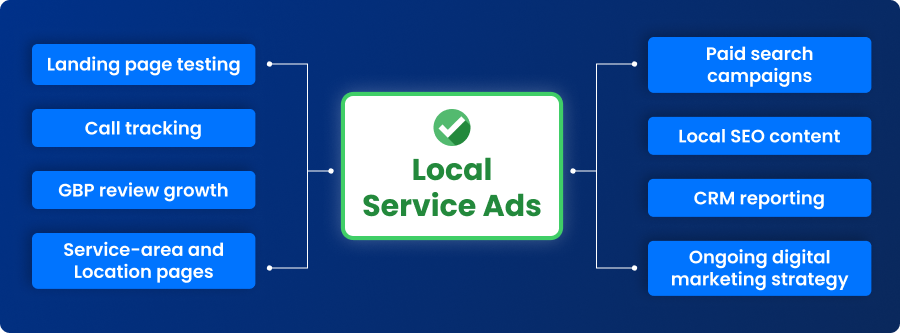
Local Services Ads should not replace local SEO, Google Business Profile optimization, or traditional Google Ads.
They should work together.
Think of it as local search real estate. A strong local service business wants to show up in more than one place when a high-intent customer searches. That may include:
- Local Services Ads
- Google Business Profile / Map Pack
- Organic search results
- Traditional Google Ads
- Review-driven branded searches
- Helpful blog content
- Location and service pages
Google also states that Local Services advertisers must have a public, verified Google Business Profile. Its screening requirements may include background checks, business registration, insurance, licensing, and a verified Google Business Profile, depending on the category and market.
That makes GBP health part of the LSA foundation.
If your Google Business Profile has thin service information, weak photos, inconsistent business hours, few reviews, or location issues, that can weaken trust before the customer ever contacts you.
The stronger strategy is to connect LSAs with:
- GBP review growth
- Local SEO content
- Service-area pages
- Location pages
- Paid search campaigns
- Call tracking
- CRM reporting
- Landing page testing
- Ongoing digital marketing strategy
That’s also why “Local Services Ads vs Google Ads” is usually the wrong framing. It’s not always either/or. LSAs can capture high-intent local leads quickly, while traditional Google Ads offer more control over keywords, ad copy, landing pages, testing, and funnel strategy.
The better question is how each channel should support the full customer journey.
Advanced LSA Audit Checklist
An advanced Google Local Services Ads audit should review more than budget and lead count.
Here’s where we’d start.
Account and Verification
- Is the account fully verified?
- Are licenses, insurance, and business details current?
- Is the connected Google Business Profile public and verified?
- Are all locations matched correctly?
- Are there any policy issues or account warnings?
Profile Quality
- Are business hours accurate?
- Is the business bio clear and specific?
- Are services described in plain language?
- Are photos real, current, and high quality?
- Do photos accurately represent the team, work, equipment, or location?
- Are message or booking options enabled where appropriate?
Job Types and Service Areas
- Are selected job types actually profitable?
- Are poor-fit job types causing bad leads?
- Are service areas too broad?
- Are service areas too narrow?
- Are certain cities or ZIP codes producing weak close rates?
- Are locations competing against each other in multi-location accounts?
Bidding and Budget
- Is the account using Maximize Leads or Max Per Lead?
- Is the bid strategy aligned with capacity?
- Is the monthly budget limiting visibility too early?
- Are lead costs evaluated against booked jobs?
- Is the budget being shifted toward the best-performing services or locations?
Lead Quality and Follow-Up
- Are call recordings reviewed regularly?
- Are bad leads categorized by reason?
- Are leads being rated inside Google’s LSA system?
- Are missed calls tracked?
- Are messages answered quickly?
- Are booking requests followed up?
- Does the sales team log outcomes in the CRM?
- Are qualified leads tied to revenue?
Reviews and Trust
- Does the business have enough reviews to compete?
- Are reviews recent?
- Are review responses professional and useful?
- Is there a consistent review request process?
- Are location-level reviews strong enough for multi-location performance?
This is the kind of audit that finds performance leakage. Not just “your budget is too low” or “you need more reviews,” but where the account is losing money, leads, and ranking strength.
When Local Services Ads Are Worth It, and When They’re Not
Local Services Ads are usually worth testing when a business has strong margins, a real review base, fast response times, and the ability to turn calls into booked jobs.
They’re less useful when the business misses calls, lacks reviews, serves too broad of an area, has thin margins, or doesn’t know what happens after the lead comes in.
LSAs are often a strong fit for:
- Home service businesses
- Legal services
- Dental and health-related local services
- Real estate and home inspection services
- Professional services
- Multi-location service brands
- Franchise or regional service businesses
But they’re not magic. If your team can’t answer calls, follow up quickly, track outcomes, or close leads, LSAs can expose the weakness faster.
The real question is not “Do Local Services Ads work?”
The real question is “Can your business convert LSA leads profitably?”
That’s the adult conversation. It’s less exciting than promising instant leads, but it’s the one that protects your budget.
Make LSAs Work Like a Real Lead Channel

Google Local Services Ads can be a strong local lead source, but the best results come from active management, clean tracking, strong reviews, fast response times, and a strategy that connects LSAs with SEO, Google Business Profile, paid search, and follow-up.
For businesses already running LSAs, the biggest opportunities are often hiding in lead quality, service area setup, bidding, missed calls, and CRM tracking.
Want to know if your Local Services Ads are actually driving profitable leads? We can audit your setup, lead quality, and tracking to find where performance is leaking.
Frequently Asked Questions About Google Local Services Ads
1. What are Google Local Services Ads?
Google Local Services Ads are lead-based ads for eligible local service businesses. Instead of paying for clicks, businesses generally pay when a valid lead comes in through a call, message, or booking request.
2. How do Google Local Services Ads rank?
Google ranks Local Services Ads through an auction that considers bid and overall profile quality. Responsiveness, relevance, service details, and contact options can also influence performance.
3. Are Local Services Ads better than Google Ads?
They serve different jobs. Local Services Ads are built for direct local lead generation, while traditional Google Ads give you more control over keywords, landing pages, ad copy, audiences, and testing.
4. Why am I getting bad leads from Local Services Ads?
Poor LSA lead quality often comes from broad service areas, mismatched job types, weak call handling, after-hours gaps, or no lead feedback process. Start by reviewing call recordings, missed calls, job categories, and booked-job data.
5. Should I use Maximize Leads for Local Services Ads?
Google recommends Maximize Leads because it lets Google optimize bids for more leads within your budget. But your decision should still account for capacity, close rate, lead quality, and cost per booked job.
6. Do reviews impact Local Services Ads performance?
Yes. Reviews help customers compare providers, and Google recommends five or more reviews. Some business types may need five reviews to show.
7. How do I improve Local Services Ads lead quality?
Review job types, service areas, business hours, call recordings, missed calls, messages, lead ratings, and actual booked jobs. Then adjust the account based on revenue quality, not just lead volume.
8. Do I need a Google Business Profile to run LSAs?
Yes. Google says Local Services advertisers must have a public, verified Google Business Profile. Depending on the business type and location, additional screening requirements may also apply.
9. How should I track Local Services Ads ROI?
Track cost per lead, booked appointment rate, close rate, revenue per lead, cost per booked job, missed-call rate, poor-fit leads, and disputed or credited leads. Google’s lead count is useful, but it doesn’t show the full business impact.
10. Can an agency manage Google Local Services Ads?
Yes. A local service ads agency can help with setup, optimization, service area strategy, job type refinement, bidding, review strategy, lead quality review, tracking, and reporting. The best results come when LSA management connects with local SEO, Google Business Profile, paid search, and conversion tracking.